
Training example
| Field | Sample value |
|---|---|
| Customer name | Sample Customer Ltd |
| Division / sale type | Product / Local |
| Territory / currency | States / INR |
| Organization / customer type | Company / Domestic Customers |
| training.customer@example.com | |
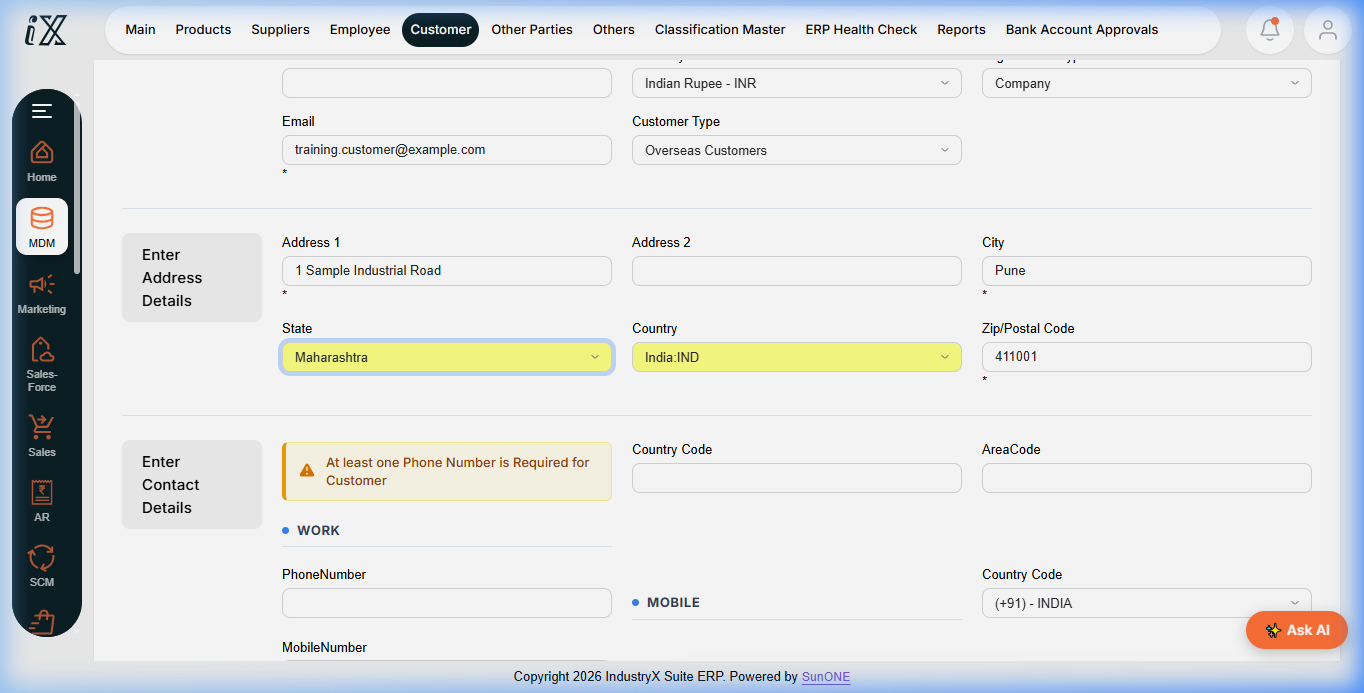
| Address | 1 Sample Industrial Road, Pune, Maharashtra 411001, India |
| Mobile | +91 0000000000 (non-routable placeholder) |
Instructions
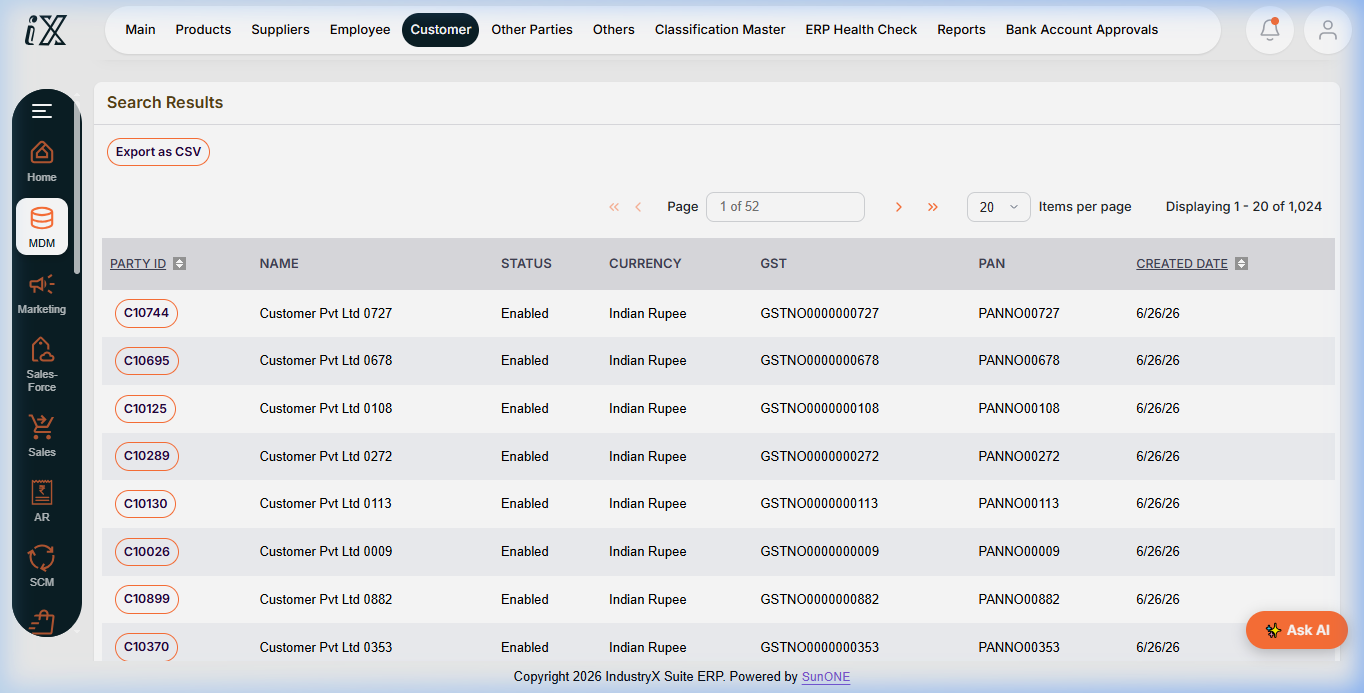
- From the main navigation, open MDM.
- Choose Customer, then New Customer.
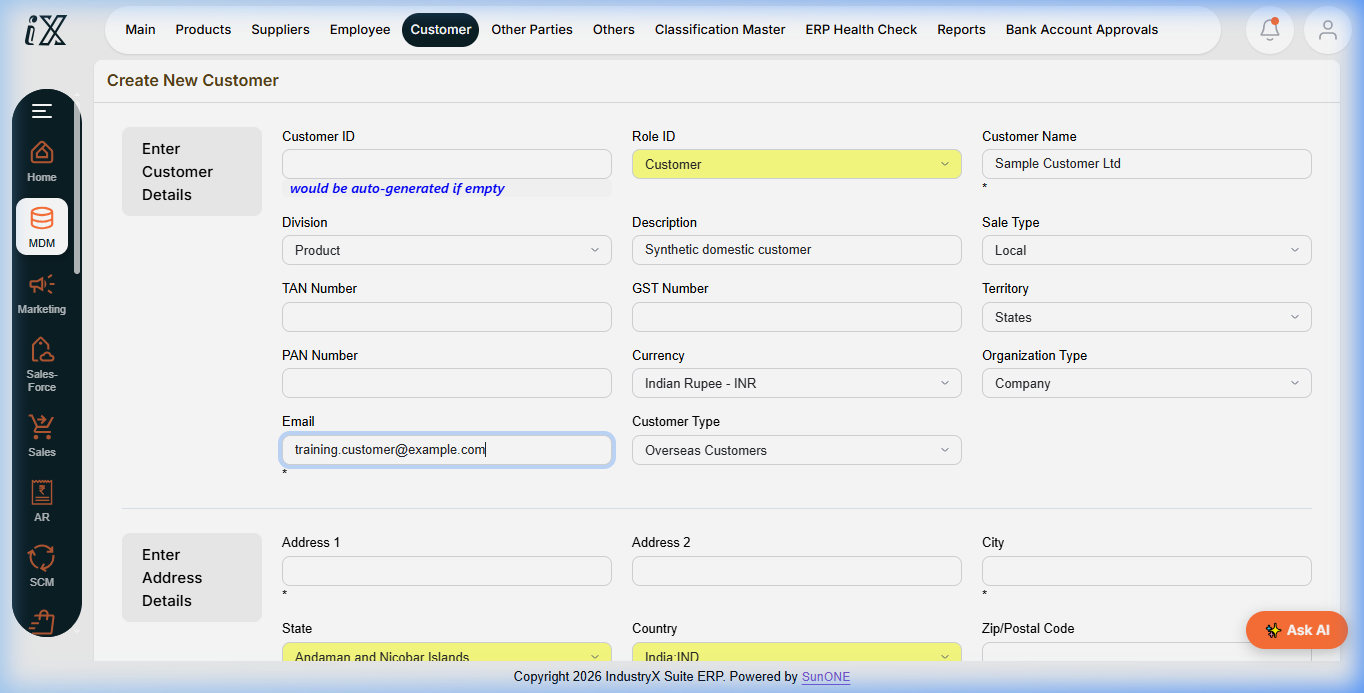
- Leave Customer ID blank so the application generates it. Keep Role ID as Customer.
- Enter the sample customer name. Set Division to Product and Sale Type to Local.
- Set Territory to States, Currency to INR, Organization Type to Company, and Customer Type to Domestic Customers.
- Enter the sample email. Leave GST, PAN, and TAN blank; do not invent statutory identifiers.
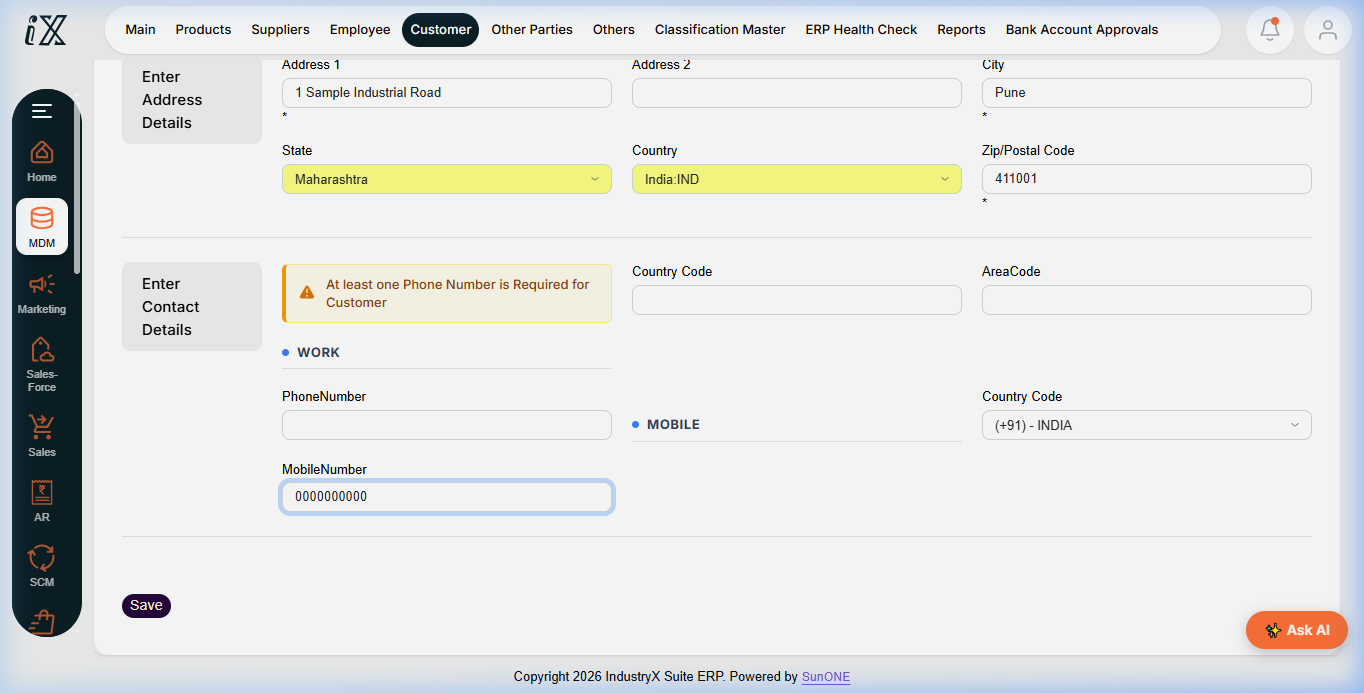
- Enter the address and mobile values from the table. Set Country to India before selecting State, then select Maharashtra; changing country can reset the state.
- Review all values, save once, and wait for the customer profile.
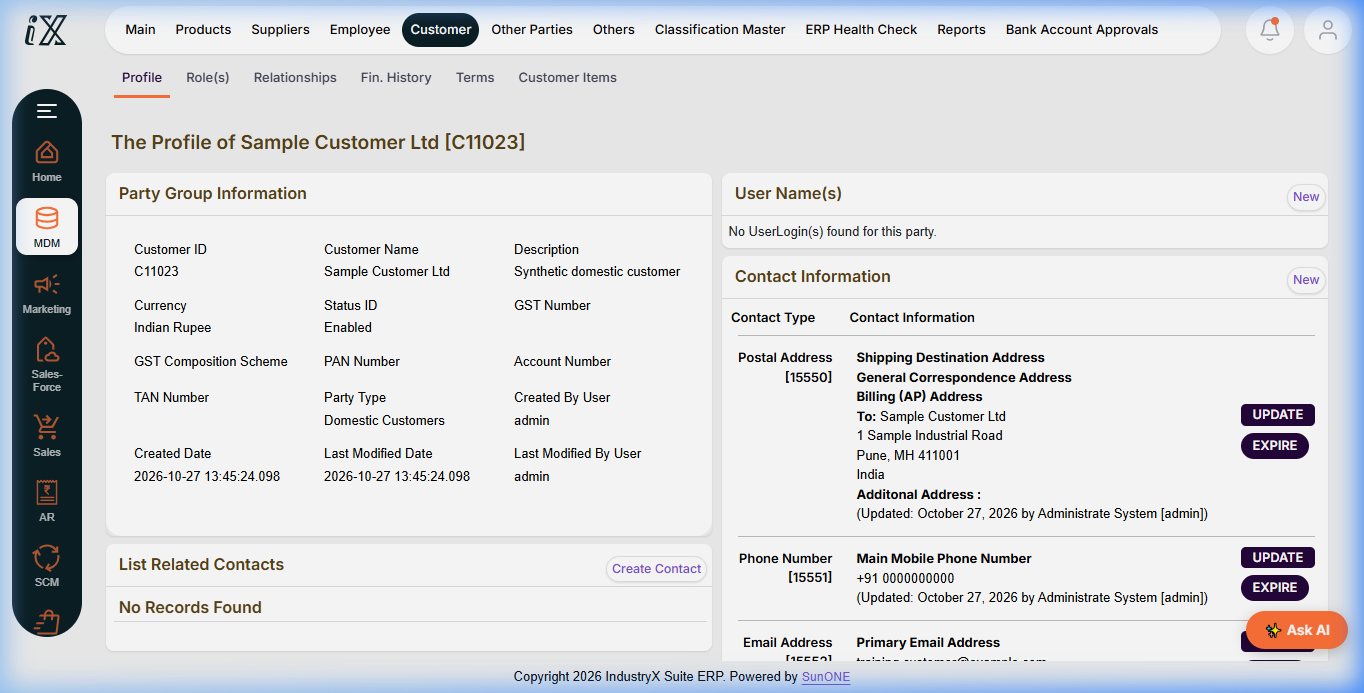
- Verify the generated customer ID, Enabled status, INR currency, Domestic Customers classification, address, mobile, and email.
Result and downstream use
The sample record used in this guide is customer C11023. It can be referenced by later customer/order examples where the workflow permits. This master-data creation does not itself post a sale, receivable, inventory movement, or accounting transaction.
Next: scenario briefs for sales-order prerequisites.
Instructions
- Open MDM, choose Customer, then New Customer.
- Leave Customer ID blank; keep Role ID as Customer.
- Enter the sample customer details shown below. Select Country India before State Maharashtra.
- Choose Product, Local, States, INR, Company, and Domestic Customers.
- Leave GST, PAN, and TAN blank. Save once and verify the generated profile.
Demo record: Sample Customer Ltd, generated ID C11023. Email training.customer@example.com; 1 Sample Industrial Road, Pune, Maharashtra 411001; non-routable placeholder mobile +91 0000000000.
C11023.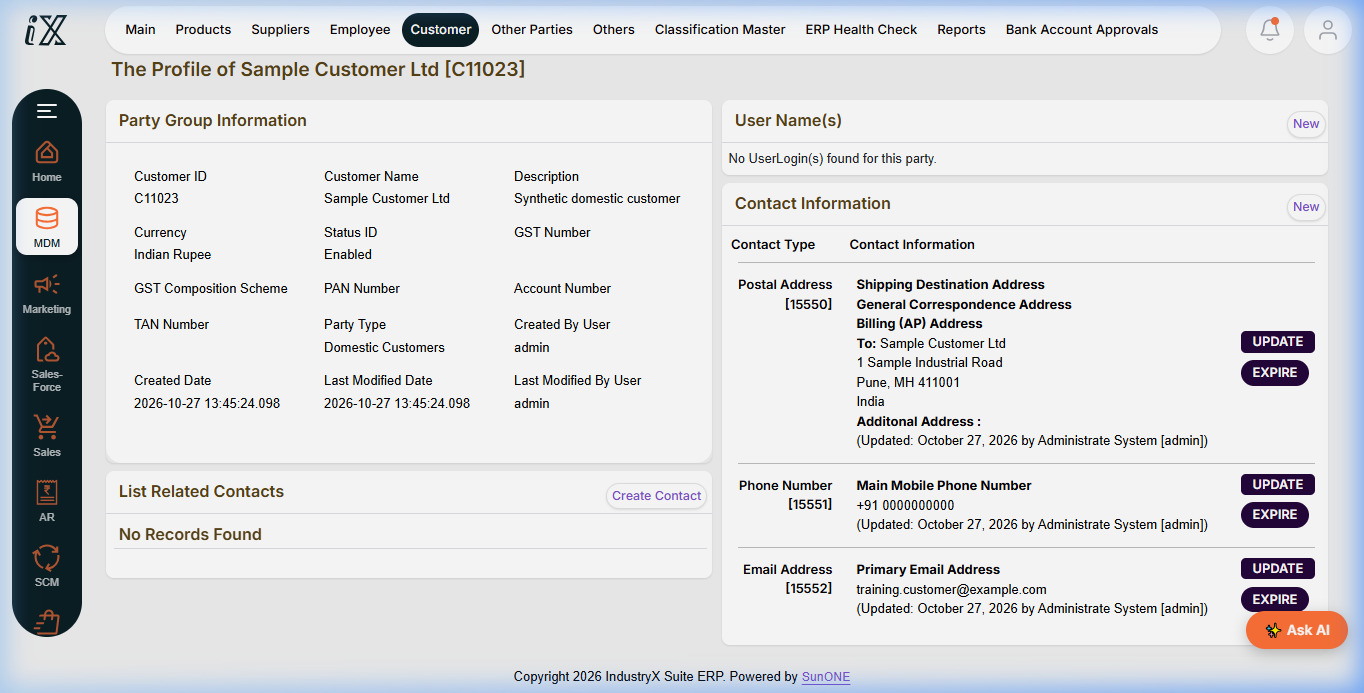
Downstream effects
The customer master is available for later sales examples. No sale, payment, inventory, or accounting transaction is posted by this procedure.