
Purpose
Learn how to manage customer Annual Maintenance Contracts (AMC), define Service Level Agreements (SLAs), link covered client machinery and warranty terms, and trigger periodic field servicing visits in IndustryX Suite ERP.
Instructions
- Navigate to Accounting > Agreements (or Order Management > Agreements) to review active customer and vendor contracts.
- Select Find Agreements to verify existing contract templates or click New Agreement.
- Specify the Agreement Header:
- Agreement Type: Customer Service Agreement / AMC
- Party From: Company Entity (
Royal Wood Creation / SunONE Technologies) - Party To: Customer Party (
C10000 - SunONE Client Demo) - Agreement Date: Current fiscal start date
- Through Date: 1 Year validity duration
- Currency: INR
- Under Agreement Items, define the contract line:
- Specify covered asset models or serialized equipment.
- Set coverage parameters: number of planned quarterly inspection visits (e.g. 4 visits/year) and emergency response turnaround (e.g. within 24 hours).
- Indicate parts inclusion (comprehensive vs. labor-only).
- Save and activate the contract. Note the generated Agreement ID (e.g.
AGR10002). - When a customer logs a service request or when a scheduled maintenance window arrives, generate a linked Service Order / Work Ticket tagged with Agreement ID
AGR10002. - Verify that the ticket inherits zero billing rate for covered preventive visits according to contract terms.
Expected result
The AMC service agreement is recorded in active status, governing SLA terms, covered assets, and automated billing/service schedules.
Downstream effects
Active AMCs drive automated recurring customer billing (34000), authorize field technician dispatches, and maintain equipment history (78000).
Related guides
Review 78000: Asset Maintenance Work Order, proceed to 82000: Complete a Web POS Sale, or view 80000 with screenshots.
Instructions
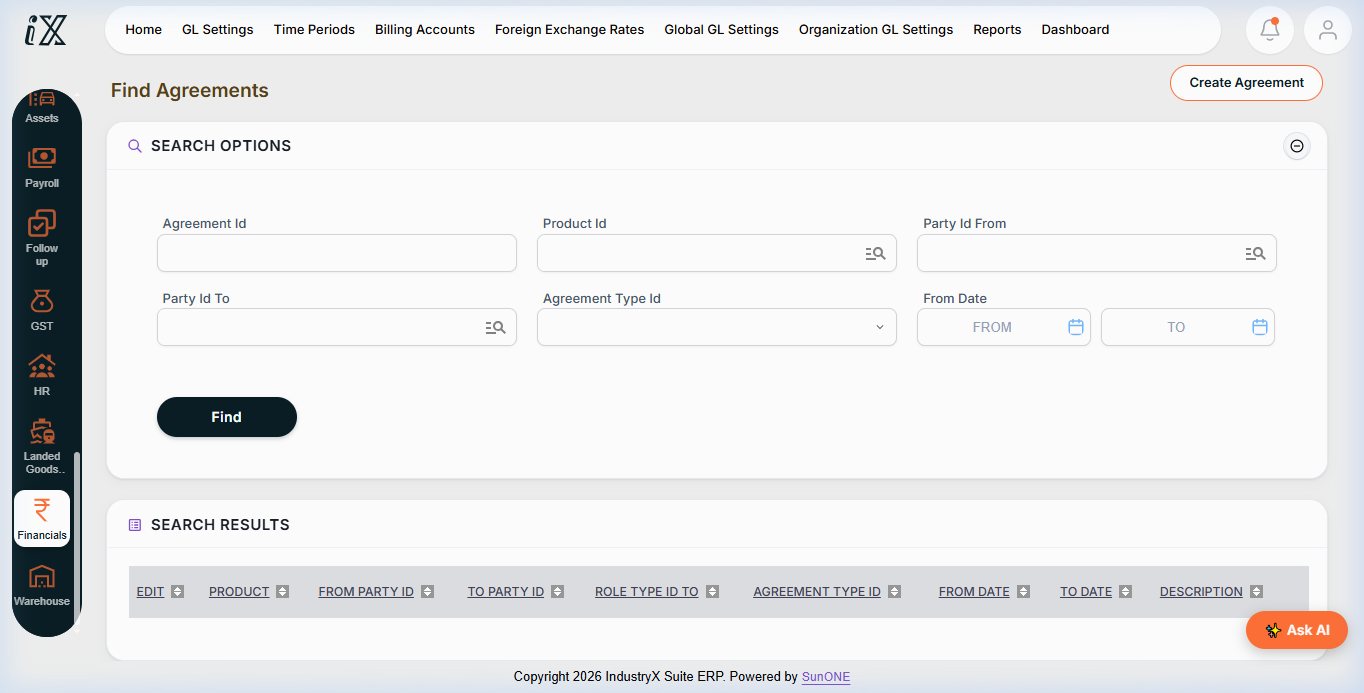
- Navigate to Agreements search in IndustryX ERP.
- Review active service agreements, customer contracts, and vendor terms.
- Inspect agreement duration dates, parties involved, and contract classification.
- Link scheduled maintenance events and field service tickets to active agreements.
Downstream effects
Contractual SLA tracking ensures timely maintenance visits and automated billing according to agreed payment terms.
Related guides
Read text instructions or proceed to 82000: Complete a Web POS Sale.