
Purpose
Learn how to schedule routine preventive servicing or initiate corrective breakdown repair work orders for plant equipment, track spare parts consumption, and record technician execution logs in IndustryX Asset Maintenance.
Instructions
- Navigate to Asset Maintenance > Main Overview (or Fixed Assets module).
- Select Fixed Assets > Find Fixed Assets to locate the target operating equipment (e.g.
FA10001- CNC Milling Machine at Pune Main Facility). - Open the asset profile: review serial number, manufacturer, installed location, operating meter readings, and maintenance history.
- Click New Work Order (or Maintenance Request):
- Work Order Type: Preventive Maintenance (or Corrective Repair).
- Asset ID:
FA10001 - Priority: High / Medium
- Scheduled Start Date: Current date / tomorrow
- Assigned Technician: Assign maintenance technician party.
- Description: Sample maintenance scope (e.g.
Quarterly spindle lubrication, hydraulic pressure check, and belt tension adjustment).
- Under the Material Requirements section, specify replacement maintenance consumables (e.g. sample hydraulic fluid, filters) from warehouse inventory.
- Save and release the work order. Note the generated Work Order ID (e.g.
WO10022). - Record work execution: upon completion, input actual technician labor hours, record meter reading, and transition Work Order status to
Completed. - Verify that the completed maintenance event appends permanently to the Fixed Asset service history.
Expected result
The maintenance work order is successfully planned, executed, and closed, updating the equipment service log and inventory parts consumption.
Downstream effects
Maintenance costs post to the department cost center, consumed spare parts relieve warehouse stock (40000), and updated asset conditions inform annual AMC agreements (80000).
Related guides
Review 76000: Enter and Approve Time, proceed to 80000: AMC Service Workflow, or view 78000 with screenshots.
Instructions
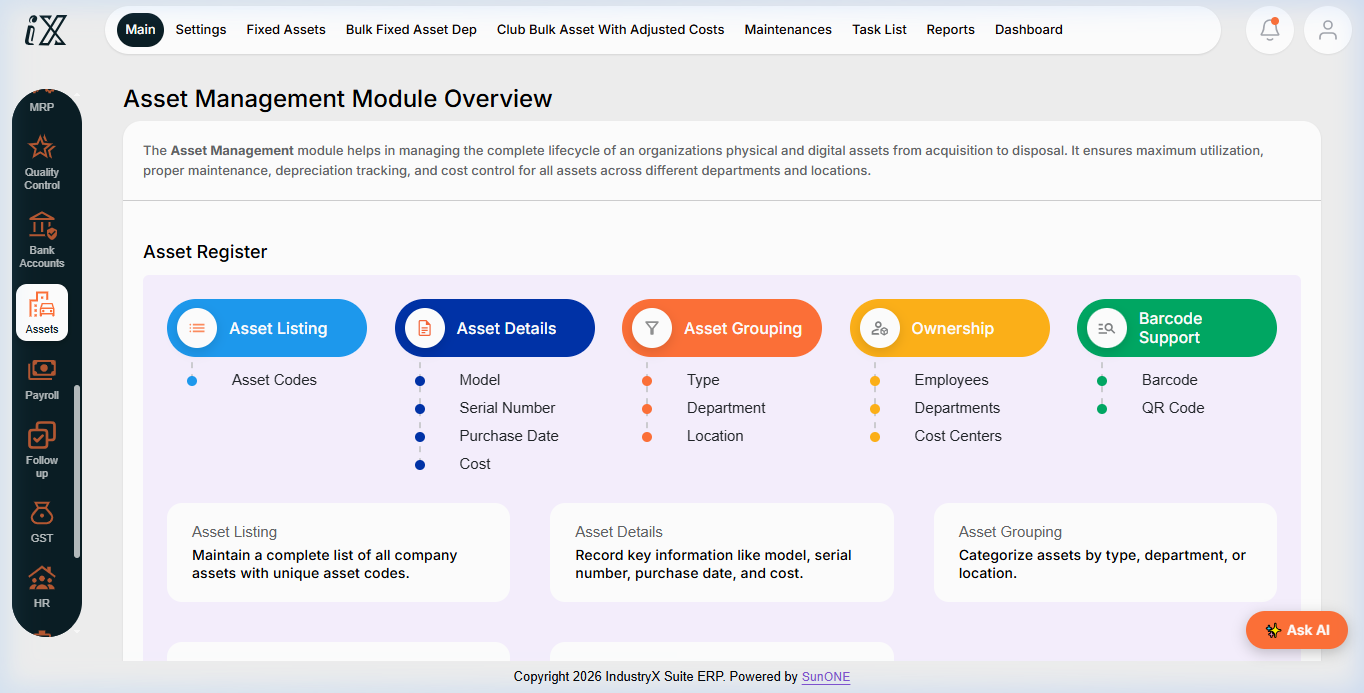
- Access Asset Management Overview to monitor equipment assets, location assignments, and servicing schedules.
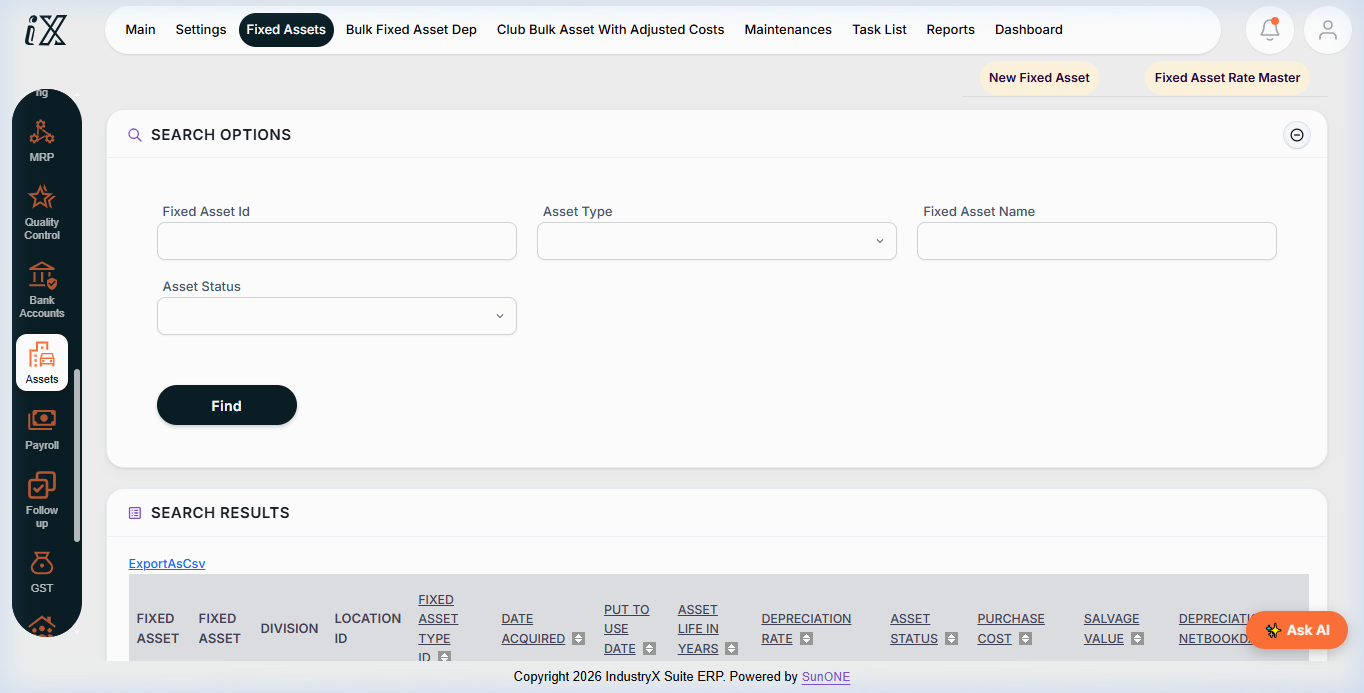
- Navigate to Find Fixed Assets to search plant equipment and tooling inventory.
- Review asset registration details, serial identification, and historical maintenance log.
- Initialize and schedule maintenance work orders with technician assignments and required parts.
Downstream effects
Systematic work orders ensure high equipment uptime, reduce unexpected machine breakdowns, and preserve capital asset value.
Related guides
Read text instructions or proceed to 80000: AMC Service Workflow.