
Purpose
Learn how Material Requirements Planning (MRP) calculations are executed in IndustryX Suite ERP: evaluating sales order demand against stock on hand, exploding Bills of Materials, and reviewing recommended purchase orders and manufacturing jobs.
Instructions
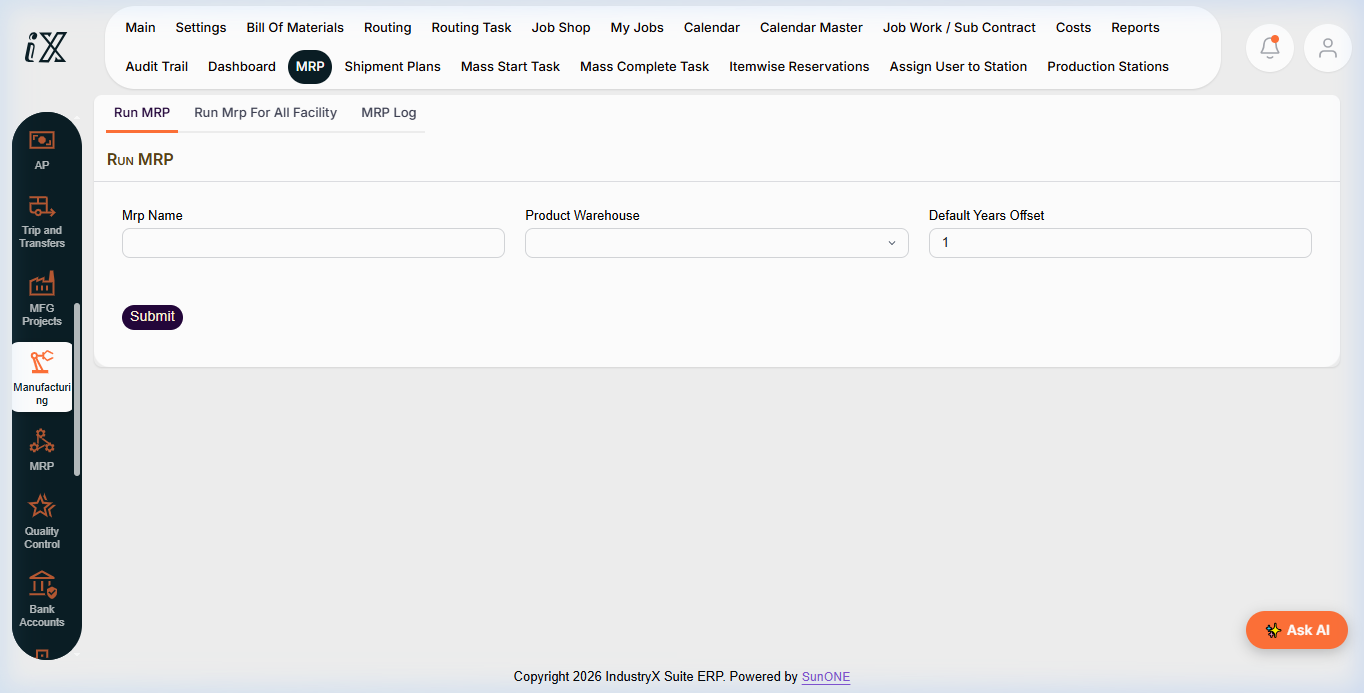
- Navigate to Manufacturing > MRP > Run MRP from the menu.
- Specify the MRP Name (e.g.
Weekly Production Run). - Select the target Product Warehouse or choose
Run Mrp For All Facility. - Set the planning horizon parameter (e.g. Default Years Offset).
- Click Submit to initiate the automated background calculation engine.
- Navigate to the MRP Log tab to monitor job execution status and check for exception warnings (e.g., shortages, lead-time violations).
- Review generated MRP supply recommendations: distinguishing between recommended Purchase Requisitions (procured components) and recommended Production Orders (manufactured assemblies).
- Verify that unapproved proposals remain recommendations until reviewed and confirmed by authorized planners.
Expected result
MRP calculates exact component shortages and provides synchronized purchase and production proposals without creating duplicate commitments.
Downstream effects
Confirmed MRP manufacturing proposals transition into active work orders in Release Production Order (50000), while purchase proposals feed Procurement (20000).
Related guides
Continue to 50000: Release Production Order and Issue Components or view 48000 with screenshots.
Instructions
- Navigate to Manufacturing > MRP > Run MRP.
- Input run identification and select target facility or run across all facilities.
- Configure planning horizon offset and click Submit to initiate MRP calculations.
- Review the MRP Log for supply/demand proposals and planned replenishment orders.
Downstream effects
Approved MRP proposals generate purchase indents for procurement and release production orders for shop floor scheduling.
Related guides
Read text instructions or proceed to 50000: Release Production Order and Issue Components.