
Purpose
Learn how engineering master data is configured in IndustryX Suite ERP: defining product structures (BOMs) with component quantities and scrap factors, and sequencing production routing operations across designated work centers.
Instructions
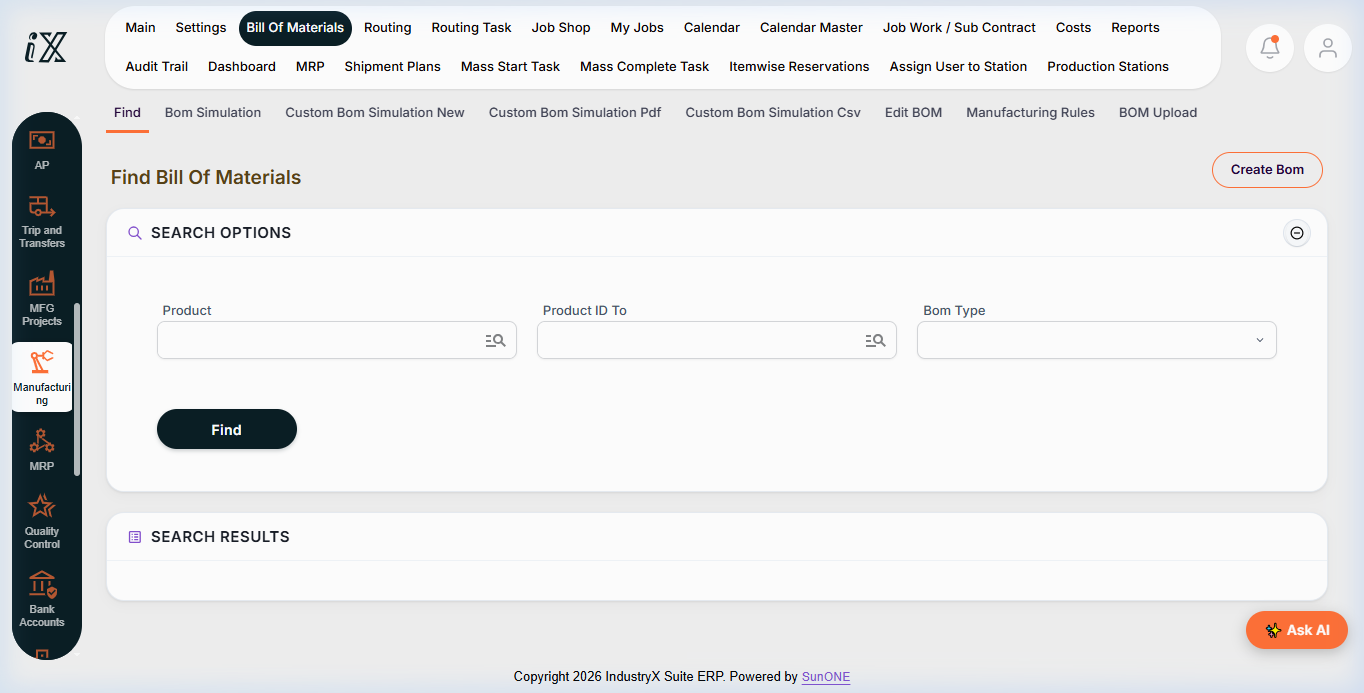
- Navigate to Manufacturing > Bill Of Materials.
- Use search options to locate existing BOM definitions for parent finished goods.
- Click Create Bom to define a new component structure. Specify Parent Product ID, Component Product IDs, Quantities per unit, and Effective Date ranges.
- Review Bom Simulation tools to verify component availability and explode multi-level subassemblies.
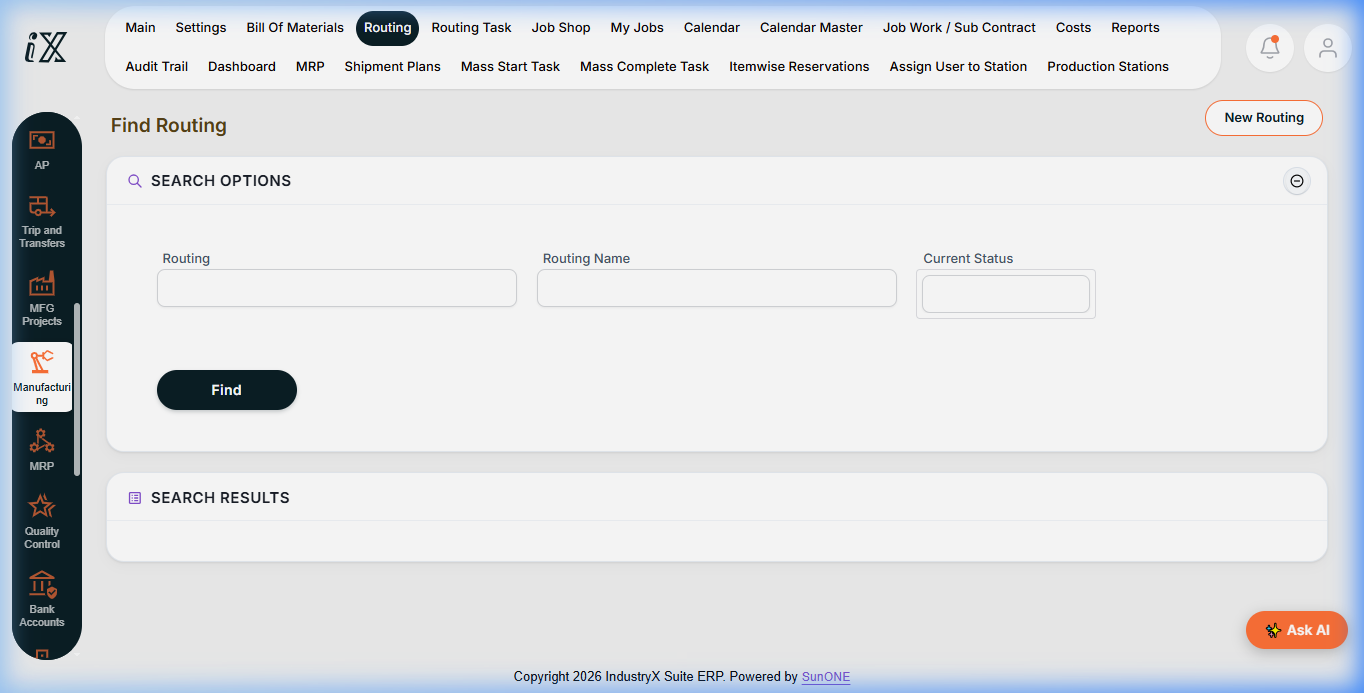
- Navigate to Manufacturing > Routing.
- Click New Routing to create a process sequence for manufacturing the product.
- Attach Routing Tasks (operations): define Operation Sequence Number, Assigned Work Center / Production Station, Setup Time, and Estimated Run Time per unit.
- Link the approved BOM to the designated Routing in the manufacturing master data profile.
Expected result
The product's Bill of Materials and manufacturing routing are formally linked, providing the foundation for automated MRP scheduling and production order release.
Downstream effects
Accurate BOMs and routings drive Material Requirements Planning (48000) and are used to explode component picklists upon Production Order Release (50000).
Related guides
Continue to 48000: Review MRP Supply Recommendations or view 46000 with screenshots.
Instructions
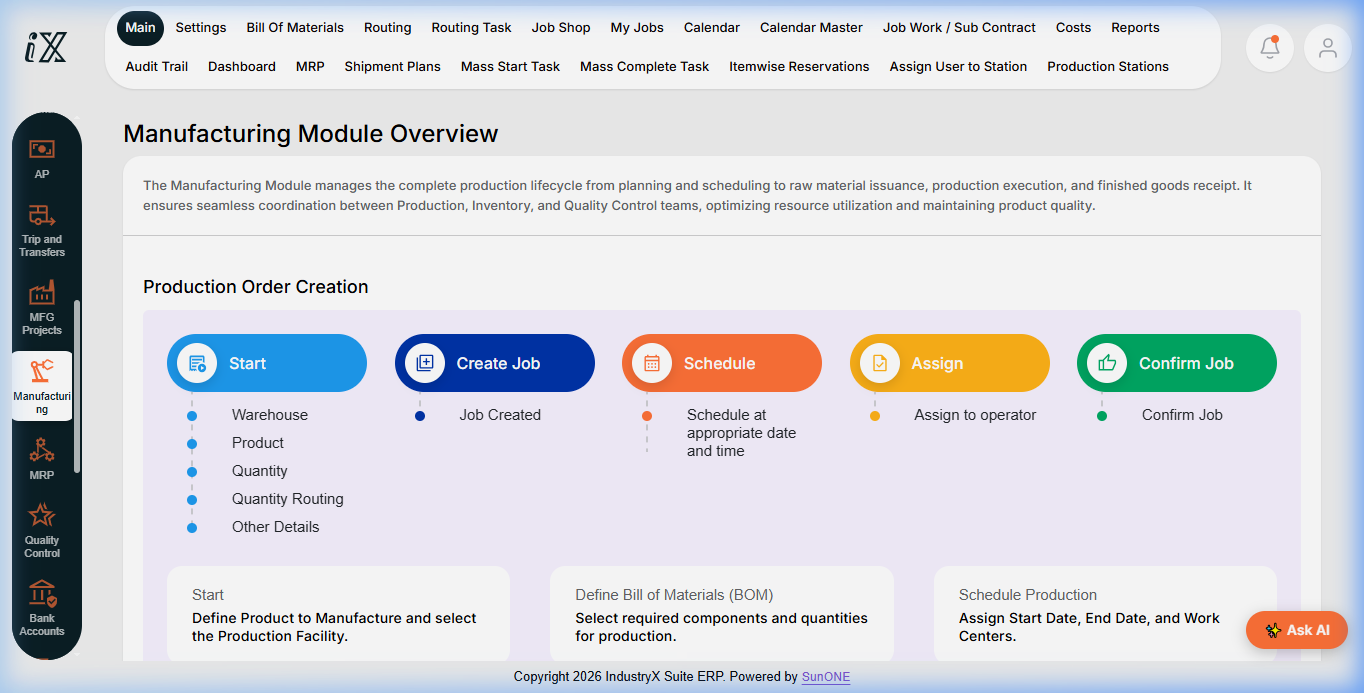
- Navigate to Manufacturing Module Overview to review the production order lifecycle.
- Open Bill Of Materials > Find to inspect component structures and BOM simulation tools.
- Navigate to Routing > Find to define work-center sequences and standard operating times.
Downstream effects
Accurate engineering master data enables MRP material planning and production order component reservation.
Related guides
Read text instructions or proceed to 48000: Review MRP Supply Recommendations.