
Purpose
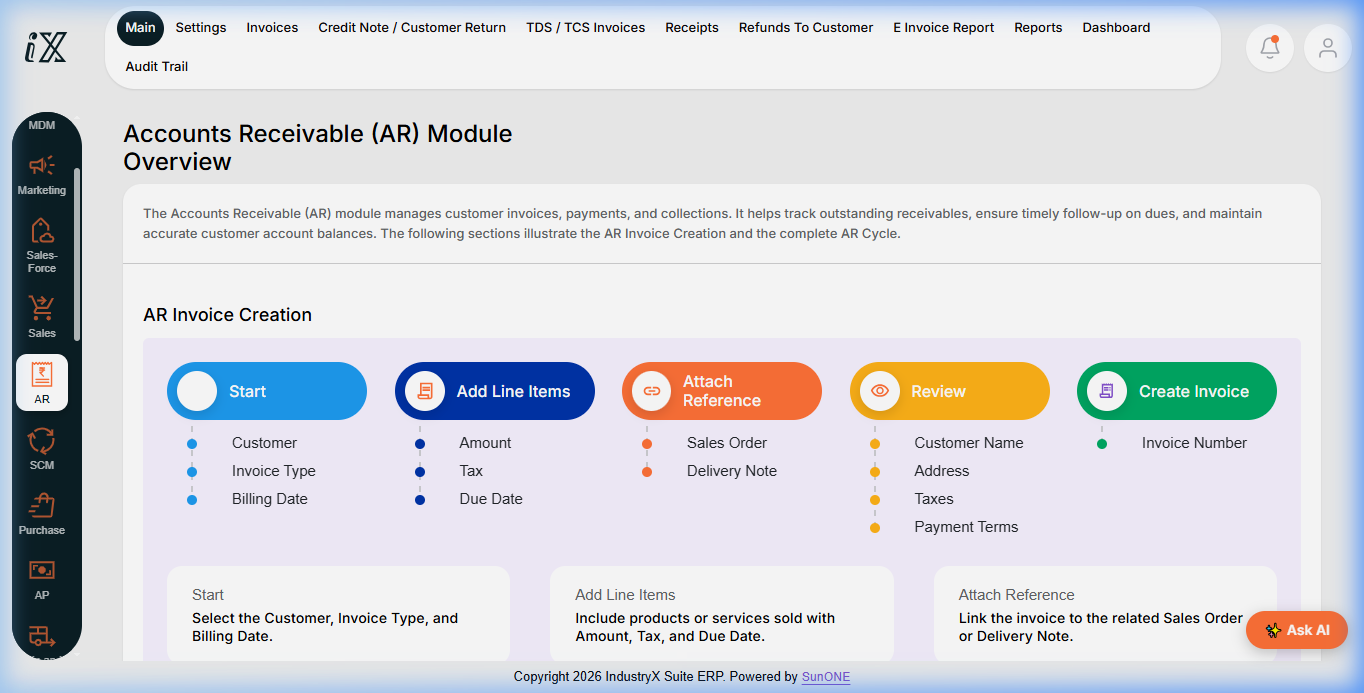
Learn the complete Accounts Receivable (AR) billing lifecycle: generating sales invoices from fulfilled shipments or manual entry, calculating output GST, posting customer receivables, and recording customer payment receipts.
Instructions
- Navigate to Accounts Receivable (AR) > Invoices from the module menu.
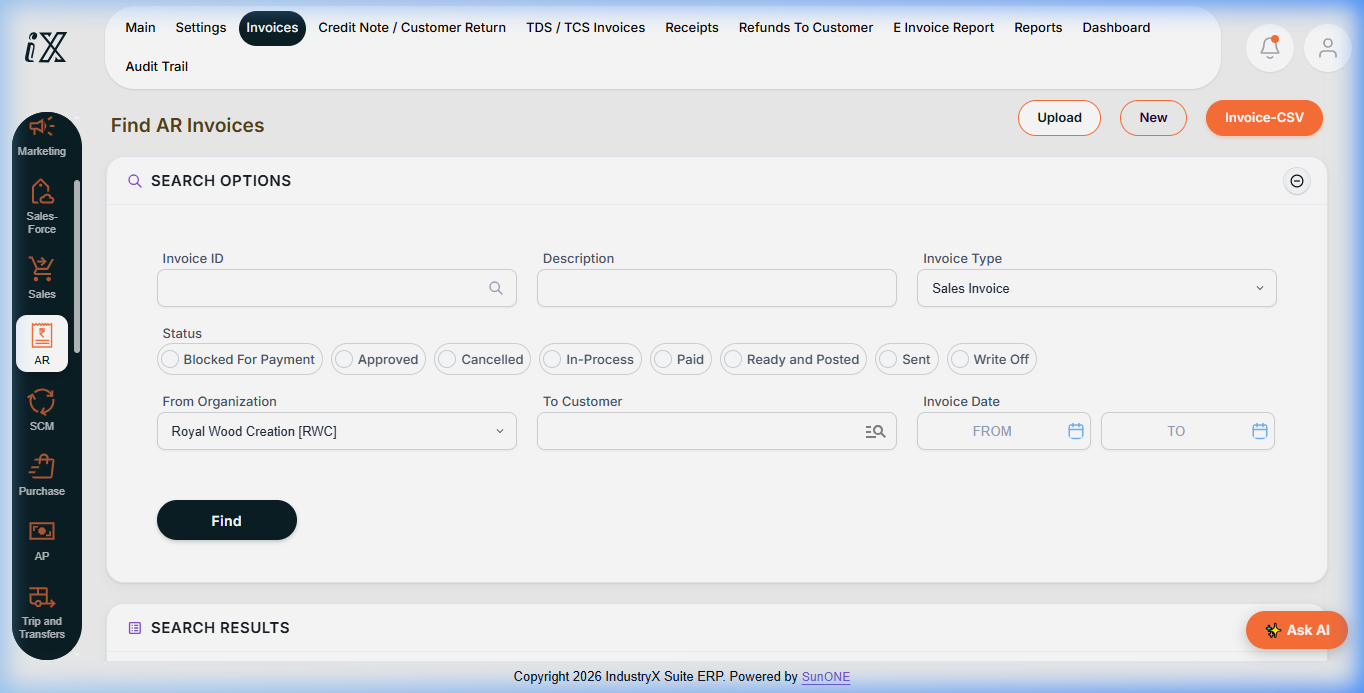
- Use Find AR Invoices to review existing customer bills by status (
Approved,In-Process,Ready and Posted,Paid). - Click New to initiate invoice creation, or auto-generate the bill from an approved dispatch note.
- Select Customer (e.g.
C10000), Invoice Type (Sales Invoice), and Billing Date. - Attach source references: link the verified Sales Order and Delivery Note numbers.
- Review matched line quantities, rates, and automated tax / GST breakdowns.
- Save and transition status to
Ready and Postedto establish the open receivable balance. - To record customer collection, navigate to AR > Receipts, enter customer payment amount, and apply against the open invoice ID.
- Confirm the invoice status updates to
Paidand outstanding balance reduces to zero.
Expected result
Sales invoice is posted to the customer account ledger, establishing receivable claims, and subsequently cleared upon receipt of payment.
Downstream effects
Posted customer invoices provide the taxable document required for GST E-Invoicing (54000), revenue accounting postings (56000), and bank deposit reconciliation (60000).
Related guides
Continue to 36000: Handle an Order Return or view 34000 with screenshots.
Instructions
- Navigate to Accounts Receivable (AR) module overview.
- Select Invoices > Find AR Invoices to query open and posted billing documents.
- Click New to initiate manual billing or convert from eligible shipments.
- Navigate to Receipts to record customer collections and apply against open receivables.
Downstream effects
Approved sales invoices establish receivable ledgers and provide base records for GST e-invoice filing and bank reconciliation.
Related guides
Read text instructions or proceed to 36000: Handle an Order Return.